> For the complete documentation index, see [llms.txt](https://guide.hardfin.com/llms.txt). Markdown versions of documentation pages are available by appending `.md` to page URLs; this page is available as [Markdown](https://guide.hardfin.com/monitor-the-details/export-data.md).
# Export
**Data export** capabilities in Hardfin allow you to download comprehensive information about any details from your organization—including assets, projects, and financial data. This makes it easy to conduct external analysis, run reporting, or integrate data with other systems.
## Exporting across the platform
To export data, navigate to any list, report, or detail page and look for the download option. The export will include all data visible based on your current view and any applied filters.
#### Lists (tables)
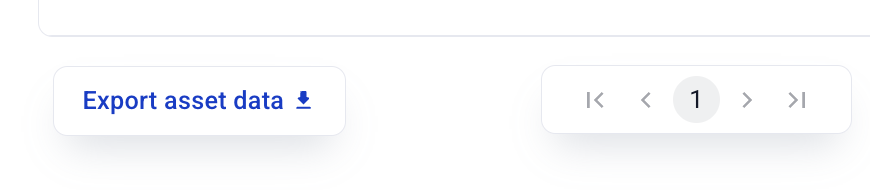
Most tables and lists in Hardfin include a small link that hovers at the **bottom left** of the table so it is always visible, even as users update filters or change pages.
Example export link at bottom of table
#### Reports
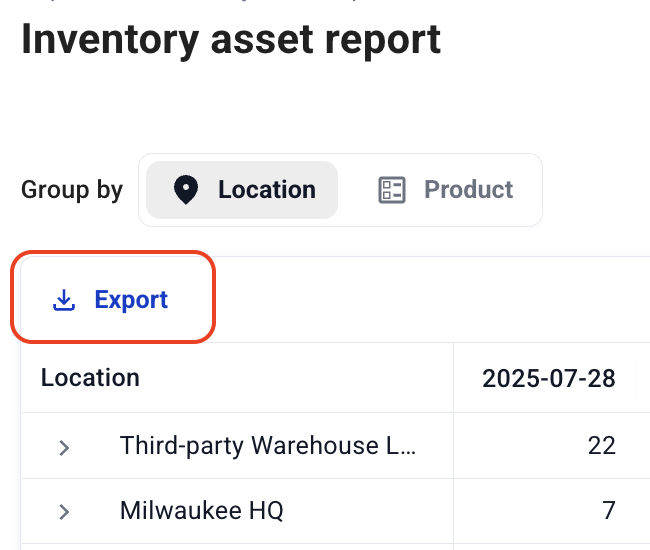
Some complex reports with interactive "foldable" tables show an Export link at the **top left** of the table so it is always visible even when the report is collapsed.
Example export link at top of report
#### Detail pages
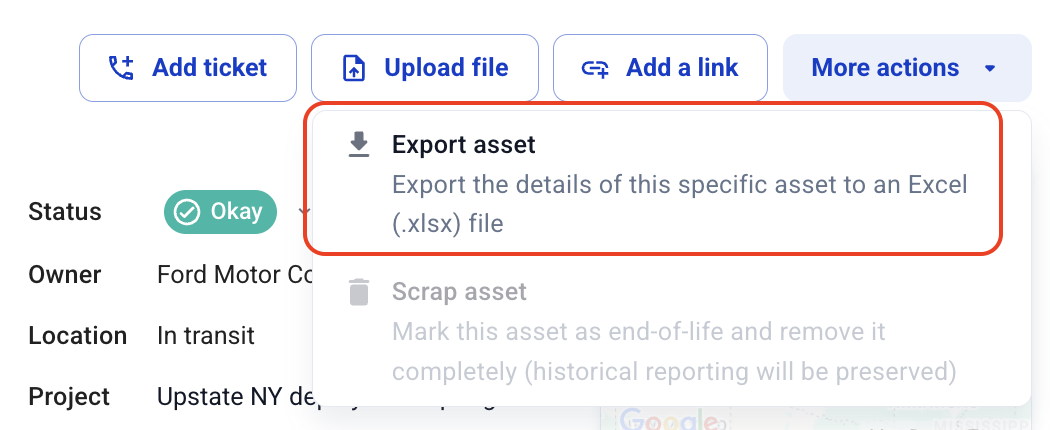
Detailed pages on individual objects (such as assets and projects) include an "Export" link in the "More actions" menu at the **top left** of the page.
Example export link in "More actions" on detail page
## Project data export
Export comprehensive project information to Excel for analysis, reporting, and integration with other systems. Project exports include multiple sheets with different aspects of project data.
**Available project data sheets**
When you export projects from the projects listing page, the Excel file includes multiple sheets:
* **Projects** - Core project information including name, customer, dates, locations, workflow stage, and fulfillment status
* **Project billing details** - Billing and invoicing information for accounts receivable purposes
* **Project line items** - Product details, quantities, pricing, and billing frequencies for each project
* **Project assignments** - Asset assignment history showing which assets were assigned to each project and when
### Project billing details sheet
The project billing details sheet includes comprehensive billing information for each project:
* **Billing address** - The address where invoices should be sent
* **Billing contact name** - The name of the person responsible for billing
* **Billing contact email** - Email address for billing communications
* **Billing contact phone** - Phone number for billing inquiries
* **Payment term** - Payment terms displayed as readable labels (e.g., "Net 30", "Net 60", "Due on receipt")
* **PO number** - Purchase order number for the project
* **Discount** - Any discount amount formatted as currency
* **Memo** - Additional billing notes or instructions
This sheet makes it easy to extract billing information for multiple projects at once for accounts receivable processing, invoice generation, or financial reporting.
## Asset data export
Export comprehensive asset information to Excel for analysis, reporting, and integration with other systems.
**Asset list export**
When you export assets from the assets listing page, the Excel file includes the following columns:
* **Serial** - The unique serial number for each asset
* **Product name** - The name of the product associated with the asset
* **Product SKU** - The SKU identifier for the product
* **Description** - Asset description
* **Status** - Current operational status (Functional, Pending, Non-functional)
* **Owner** - The company that owns the asset
* **Location** - Current location of the asset
* **Project** - Associated project (if assigned)
* Additional metadata fields configured for your organization
The export respects any filters you have applied, so you can export a subset of assets based on status, location, product, or other criteria.
## Shipment data export
Export shipment data to Excel for logistics analysis, reporting, and coordination with partners. Shipment exports are available from both the inbound shipments page and the outbound shipments page.
The export respects your current filter selection (e.g., open, shipped, delivered, cancelled, or all shipments), so you can export exactly the subset of shipments you need.
**Available shipment data sheets**
When you export shipments, the Excel file includes two sheets:
* **Shipments** - Shipment-level details including shipment number, status, type, origin and destination locations, carrier, tracking number, and key dates
* **Shipment line items** - Item-level details for each shipment including item name, SKU, quantity, and serial numbers
The columns on each sheet are tailored to the shipment type (inbound or outbound) to show the most relevant information for each.
## Purchase order data export
Export purchase order data to Excel for procurement analysis, reporting, and coordination with suppliers. Purchase order exports are available from the purchase orders list page.
The export respects your current filter selection, so you can export exactly the subset of purchase orders you need.
**Available purchase order data sheets**
When you export purchase orders, the Excel file includes two sheets:
* **Purchase orders** - Order-level details including PO number, status, status level, vendor, origin and destination locations, expected date, carrier, tracking number, and key dates
* **Purchase order line items** - Item-level details for each purchase order including item name, SKU, requested quantity, and status
## Return order data export
Export return order data to Excel for returns analysis, reporting, and coordination with logistics partners. Return order exports are available from the return orders list page.
The export respects your current filter selection, so you can export exactly the subset of return orders you need.
**Available return order data sheets**
When you export return orders, the Excel file includes two sheets:
* **Return orders** - Order-level details including RO number, status, status level, return type, return reason, origin and destination locations, related exchange order, and key dates
* **Return order line items** - Item-level details for each return order including item name, SKU, requested quantity, and status
## Cost data export
Export detailed cost information to Excel for comprehensive financial analysis and reporting. Cost data exports include all relevant financial metrics and calculations associated with your projects and assets.
**Available cost data**
* Project cost breakdowns by category
* Asset-related costs and depreciation (including all accounting fields such as cost basis, salvage value, useful life, and advanced cost components)
* Time tracking
* Miscellaneous expenses
**Export features**
* **Excel format** - Download data in .xlsx format for easy analysis in spreadsheet applications
* **Comprehensive data** - All cost calculations and financial metrics included
* **Filtered exports** - Export only the data currently visible based on applied filters
* **Real-time data** - Exports reflect the most current cost information